
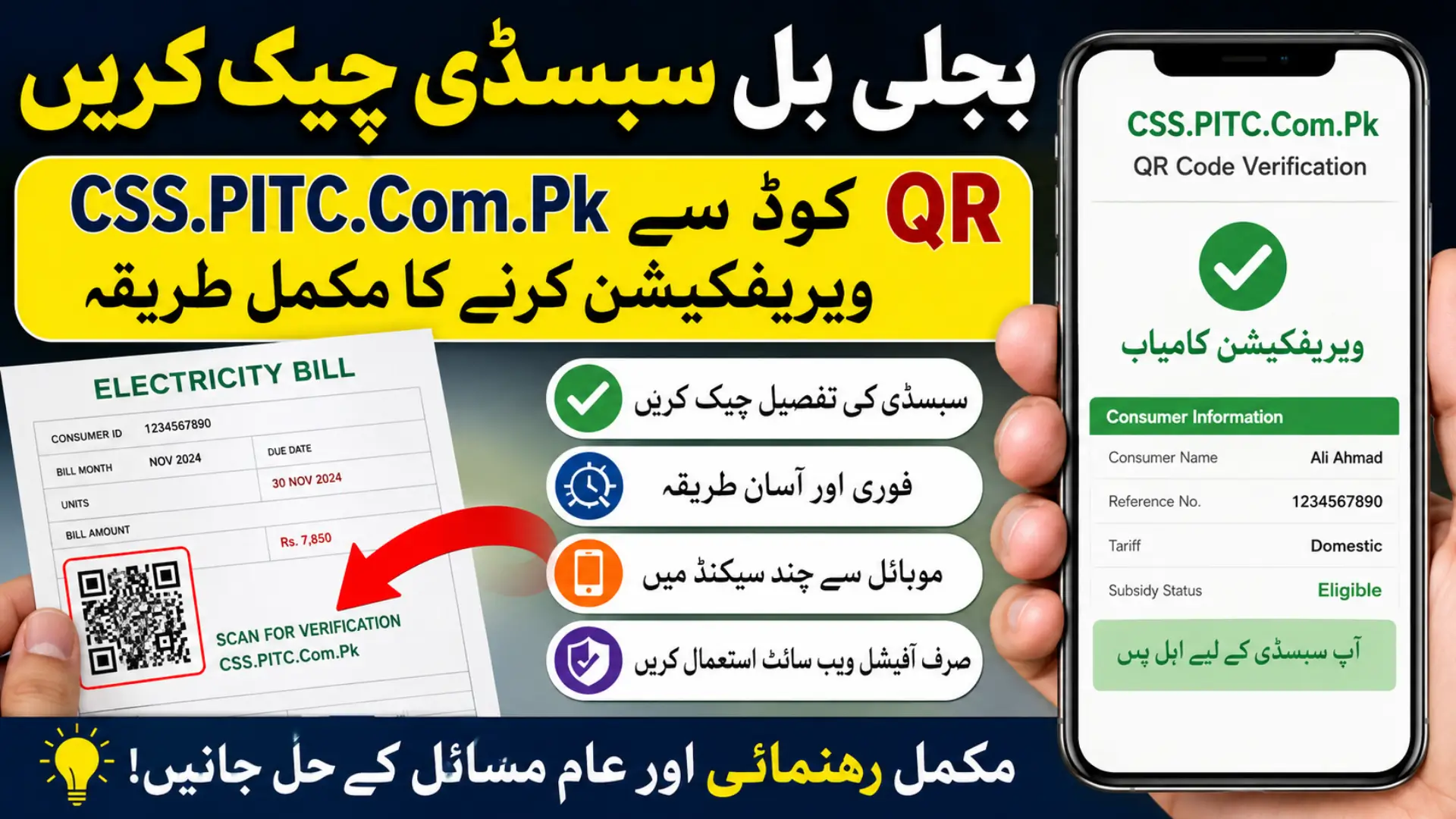
Electricity bill subsidies and digital verification systems have become increasingly important for consumers in Pakistan. One of the latest systems helping users verify subsidy-related information is the CSS.PITC.Com.Pk QR Code Verification portal. This online method allows electricity consumers to quickly access verification details by scanning the QR code printed on their electricity bill.

Many users receive bills containing QR codes but are unsure how the verification process works or what information they need. This guide explains the complete process in simple language, including eligibility details, common issues, safety tips, and the correct way to use the official portal.
What Is CSS.PITC.Com.Pk QR Code Verification?
CSS.PITC.Com.Pk QR Code Verification is a digital verification system linked with Pakistan’s electricity Cross Subsidy Program. The system allows consumers to scan a QR code printed on their electricity bill and directly open the official verification page without manually entering long details.
You can also read: SECP Barwaqt Udharpaisa Notice Digital Loan Apps
The portal is managed by the Power Information Technology Company (PITC), which handles digital electricity-related services for multiple power distribution companies in Pakistan. The QR verification system helps users confirm subsidy-related information faster and reduces errors caused by manual data entry.
Why QR Code Verification Is Important
The QR verification method simplifies the process for electricity consumers, especially those who are not comfortable navigating websites manually. Instead of typing reference numbers or searching through portals, users can directly access the correct verification page with a simple scan.
Some major advantages include:
- Faster access to verification pages
- Reduced typing mistakes
- Easy smartphone-based verification
- Better accessibility for elderly users
- Quick subsidy information checking
- Improved digital convenience
- Less need for physical office visits
As public services continue shifting online, QR-based systems are becoming more useful for everyday consumers.
Who Can Use CSS.PITC.Com.Pk QR Verification?
The QR verification option is generally available for electricity consumers who receive bills containing a printed QR code. Users who want to check subsidy-related details or confirm their electricity consumer records can benefit from this system.
You may need QR verification if you:
- Received an electricity bill with a QR code
- Need Cross Subsidy Program verification
- Want quick access to official consumer records
- Prefer mobile-based verification
- Need to confirm electricity billing information
Eligibility for subsidy programs still depends on official criteria and verified consumer records.
You can also read:
Information Required Before Verification
Before starting the verification process, users should keep their basic electricity and identity details ready. This helps complete the process quickly without interruptions.
Required Details
| Required Information | Purpose |
|---|---|
| CNIC Number | Identity verification |
| Electricity Bill | Access QR code and consumer details |
| Reference Number | Consumer record matching |
| Mobile Number | Verification or updates |
| Meter Account Details | Additional validation if needed |
Keeping these details ready can help avoid delays during the verification process.
How to Check CSS.PITC.Com.Pk QR Code Verification Details
The verification process is designed to be simple and mobile-friendly. Most users can complete it within a few minutes using their smartphone.
Step 1 – Open Your Smartphone Camera
Use your phone’s built-in camera or any QR scanner application. Modern Android and iPhone devices usually support QR scanning directly from the camera app.
Make sure the QR code printed on the electricity bill is clearly visible and not damaged before scanning.
Step 2 – Scan the QR Code on the Bill
Point the camera toward the QR code and allow the scanner to detect it properly. Once recognized, a notification or link will appear on your screen.
Tap the link carefully to proceed to the official verification portal connected with the electricity verification system.
Step 3 – Open the Official Verification Page
After scanning, the system redirects you to the related verification page. Always confirm that the website address belongs to the official PITC portal before entering any information.
Avoid unofficial websites or random social media links claiming to provide faster approval or subsidy access.
Step 4 – Enter Consumer Information
The portal may ask for verification details such as:
- Consumer reference number
- CNIC number
- Mobile phone number
- Billing details
- Meter-related information
Double-check all information carefully because incorrect entries may cause verification errors.
Step 5 – Submit and Check Status
Once all required details are entered, submit the request through the portal. The system may display confirmation details, verification status, or additional instructions depending on your consumer record.
Some users may receive immediate confirmation, while others may need further validation.
Common Problems During QR Verification
Although the system is straightforward, users sometimes face technical issues while scanning or opening the portal. Most problems are temporary and can be solved easily.
QR Code Not Scanning
This issue usually happens because of poor print quality or camera problems.
Possible causes include:
- Damaged electricity bill
- Blurry QR printing
- Weak lighting
- Camera focus issue
- Low-quality scanner app
Cleaning the camera lens and improving lighting often helps fix scanning problems.
You can also read: Big Relief for Motorists in KP Despite
Portal Not Opening Properly
Sometimes the verification page may fail to load because of internet or server-related issues. High traffic during subsidy registration periods can also slow the system.
Try these solutions:
- Refresh the page
- Switch internet connection
- Use another browser
- Wait and try again later
- Clear browser cache
Temporary server maintenance can also affect portal accessibility.
Important Safety Tips for Consumers
Online subsidy verification systems can attract scams and fake websites. Users should stay careful while entering personal information online.
Follow these important precautions:
- Use official PITC portal links only
- Never share CNIC with unknown people
- Avoid paying agents for verification
- Ignore fake social media approval claims
- Verify website URLs carefully
- Do not trust unofficial SMS links
Scammers often target consumers searching for government relief programs, so always confirm information from official sources.
Benefits of Digital QR Verification Systems
QR-based verification systems help modernize electricity services and reduce manual processing. Consumers can access information quickly without visiting offices or standing in long queues.
Key public service benefits include:
- Faster consumer access
- Reduced paperwork
- Improved verification accuracy
- Better digital accessibility
- Less pressure on service offices
- Improved service efficiency
Digital verification systems are expected to expand further across public utility sectors in Pakistan.
Common Mistakes to Avoid During Verification
Many verification problems occur because users make small mistakes while entering information or using unofficial sources. Avoiding these issues can save time and reduce delays.
The most common mistakes include:
- Entering incorrect reference numbers
- Using expired electricity bills
- Scanning damaged QR codes
- Visiting fake verification websites
- Sharing personal details publicly
- Ignoring official instructions
Careful verification and accurate data entry improve the chances of successful processing.
Is CSS.PITC.Com.Pk QR Verification Free?
Yes, official QR verification through the PITC portal is generally free for electricity consumers. Users should not pay any third party claiming to provide faster verification or subsidy approval services.
If any person or website demands payment for basic verification access, it is important to stay cautious and verify authenticity before proceeding.
Frequently Asked Questions
Can I complete QR verification using my mobile phone?
Yes, smartphones with a camera and internet connection can easily scan the QR code and open the verification portal.
What should I do if the QR code is damaged?
If the QR code is unclear or damaged, you may need to manually enter your consumer details through the official portal.
Is the QR verification system available for all electricity users?
Availability may depend on your electricity distribution company and whether the bill contains a QR code.
Can incorrect information cause rejection?
Yes, mismatched consumer details or incorrect entries may lead to verification errors or delays.
Is it safe to use social media links for verification?
No, users should only use official PITC-related sources and avoid unofficial links shared online.
You can also read: Khyber Pakhtunkhwa Decides
Final Words
The CSS.PITC.Com.Pk QR Code Verification system provides a fast and convenient way for electricity consumers in Pakistan to check subsidy-related details online. By simply scanning the QR code printed on the electricity bill, users can quickly access official verification pages without complicated manual steps.
Consumers should always use official portals, protect personal information, and avoid fake verification claims circulating online. With proper use, QR verification can save time, improve accessibility, and make electricity-related digital services much easier for the public.